Run a retail or business park from the lease to the invoice
For asset and property managers of retail parks, shopping centres and business parks: leases, areas, meters and service rounds in the same workspace as the invoices.
- See every lease in a park on one tenancy schedule
- Check rent per m² against the property manager’s sheet
- Rank retail tenants by sales per m²
- Prove patrol and cleaning rounds with QR scans
How it works
Set up parks and units
Record each park’s buildings and lettable units with their areas, and the leases that book them.
Bring in readings and sales
Import meter readings from an export or a photo, and enter tenants’ monthly sales in one grid.
Check, then invoice
Compare what you billed with the manager’s sheet, and bill each tenant’s meters on its invoice.
How it works in Flowtly
Screenshots of the running product, taken in demonstration organisations with sample data. Select a screenshot to open it full size. Some of these screens show the Polish interface.
1A tenant’s lease kept as a project: the tenant as its client, a start date, a fixed price and the Invoice button at the top. 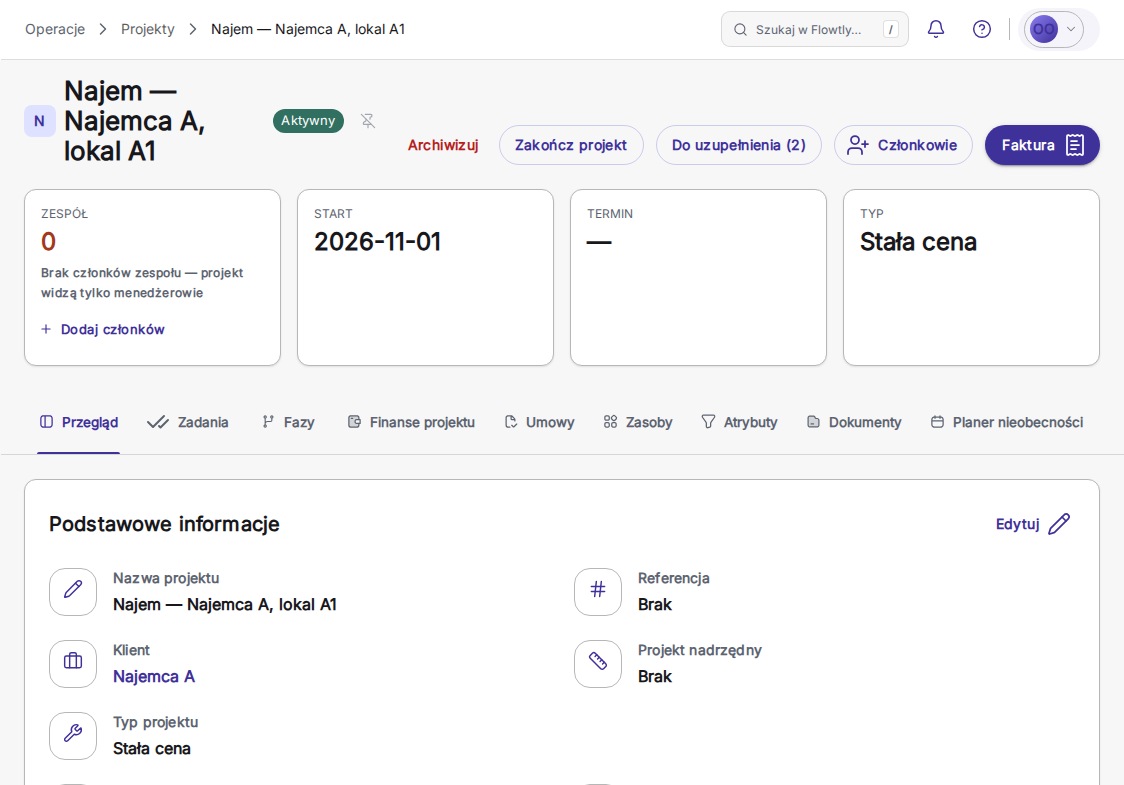
What Flowtly does for you
Capabilities matched to how your industry actually works
A tenancy schedule for each park
Every lease in a park on one list: tenant, unit, invoiced area, rent and the date it runs from, and the end date. Filter to leases that are active, not started yet or expiring soon, and export the schedule as CSV.
Rent per m², reconciled with the manager’s sheet
For one park, see what each tenant was invoiced per square metre of leased area, for rent, service charge or utilities, against the park average and over time. Import the property manager’s sheet and every row is marked as agreeing, different or not invoiced. The sheet is for comparison only and changes no invoice.
Tenant turnover and sales per m²
Enter each retail tenant’s monthly sales in one grid, then rank tenants by sales per square metre of the area their leases cover. A month nobody reported stays blank and is never counted as zero. The figures are for reporting; nothing is invoiced from them.
Meter readings read from a photo
Import a month’s readings from a maintenance export, or from a photo of a meter, a readings sheet or a utility bill. Flowtly reads the values and suggests the meter, and nothing is saved until you have checked each row.
Utilities statements per tenant
A statement works out one lease’s electricity for a month: what its meters recorded, at the tariff in force, for the days the lease actually runs. A second person finalises it, and a final statement never changes. Statements are calculated through Flowtly’s API today; there is no screen for them yet.
Common-area costs split by lettable area
Flowtly works out a building’s common area as its full area less its rentable units, and each tenant’s share from the units it has booked; vacant units stay with the landlord. Split a supplier invoice across tenants by a recorded area in one click, and the shares always add up to the invoice total.
Patrol and cleaning rounds with QR proof
Set the expected times and a grace window for each patrol or cleaning round, and staff scan the QR code at each checkpoint. Service rounds shows every round as done, late, partial or missed, with the scan time and who scanned.
Meters on the tenant’s invoice
Each lease is a project with the tenant as its client. Bill the meters on its booked units on its invoice, one line per meter, prorated across readings or as the exact difference between two readings, and check every line in a preview before the draft is created.
Plans
Included in every plan
Property operations are not a separate product or an add-on: they come with every Flowtly plan. The property-management features are switched on for your organisation when you start using them.