Close the books without the chaos
Flowtly gives finance leaders clean, complete data — invoices, costs, approvals, and time logs all in one place — so month-end close happens without chasing documents.
Get complete financial data, ERP-ready exports, and real-time budget visibility without manual stitching.
· Built for finance leaders
How Flowtly changes your month-end
Complete data without follow-ups
Invoices, receipts, timesheets, and approvals arrive in one place — no back-and-forth.
ERP-ready exports in one click
Download exactly what your accounting suite needs without manual stitching.
Live budget vs actual at all times
See project margins and team costs in real time, not at month end.
What that looks like in Flowtly
- With the approval workflow on, an incoming invoice goes to the owner of its cost-category tag, then to the owner of the linked cost, and otherwise to everyone with an invoices permission.
- Tick the supplier invoices to pay and export one file for your bank’s bulk-payment import: pain.001 XML, or Multicash PLI for ING in Poland.
- A supplier invoice split across projects counts on each budget only at its allocated share, in the month the document relates to.
How it works in Flowtly
Screenshots of the running product, taken in demonstration organisations with sample data. Select a screenshot to open it full size.
1Read budget realisation: planned, contracted and invoiced stay in separate columns, and the view names any contract it leaves out. 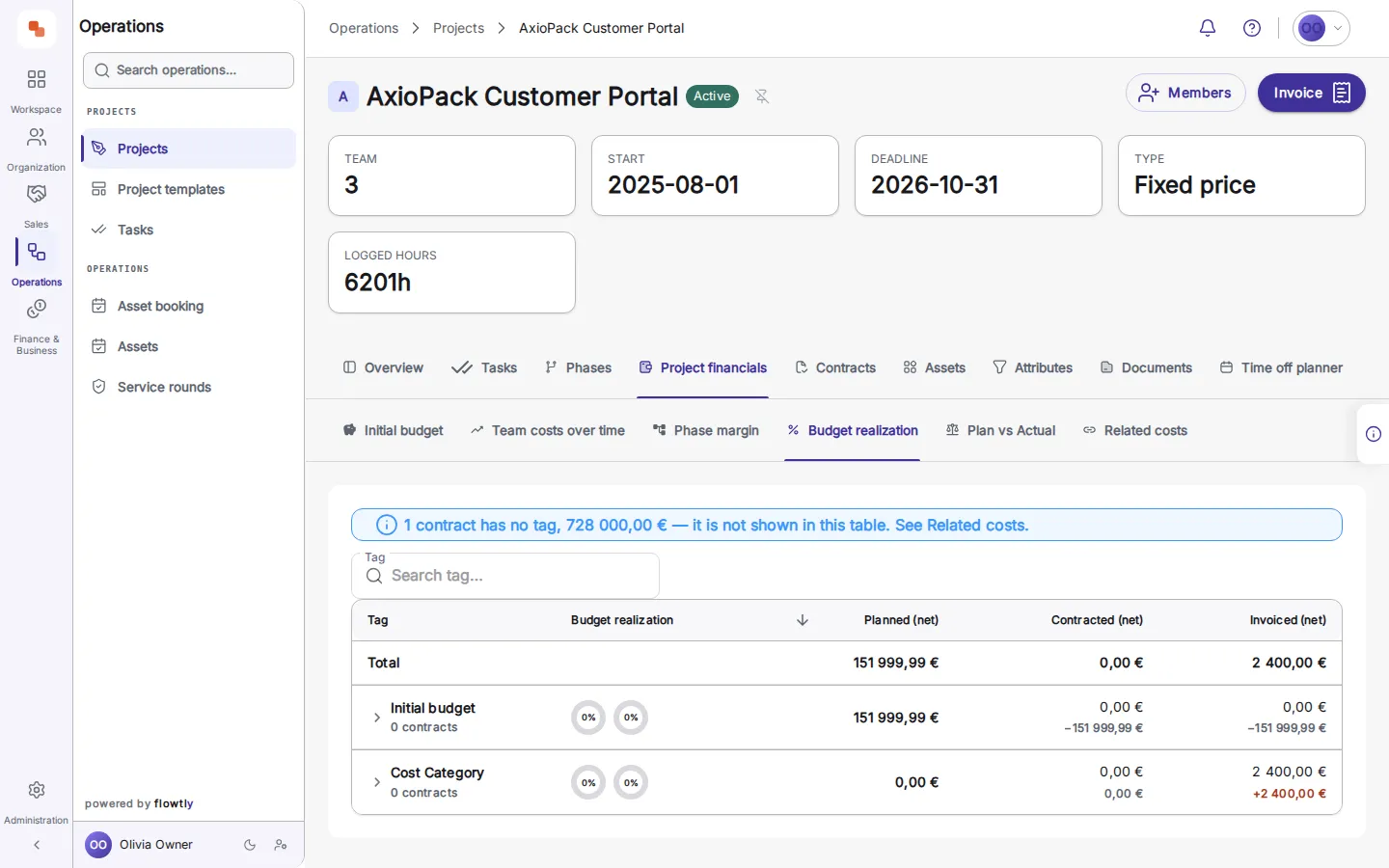
2See shared costs on the project: each allocated supplier invoice with its amount and the share assigned to this project. 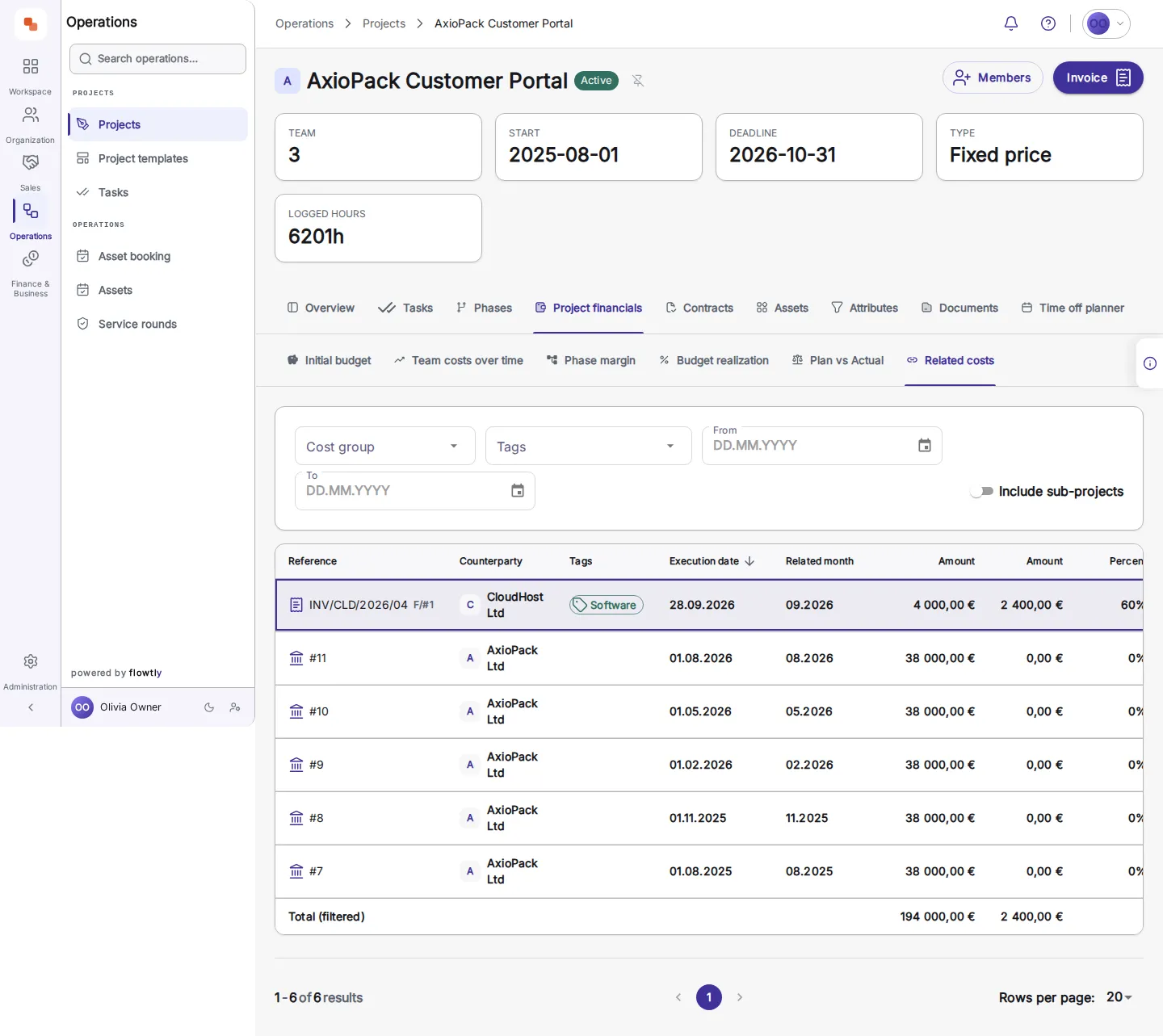
3Follow it to the source: the incoming invoice with its net, VAT and gross amounts and its approval state. 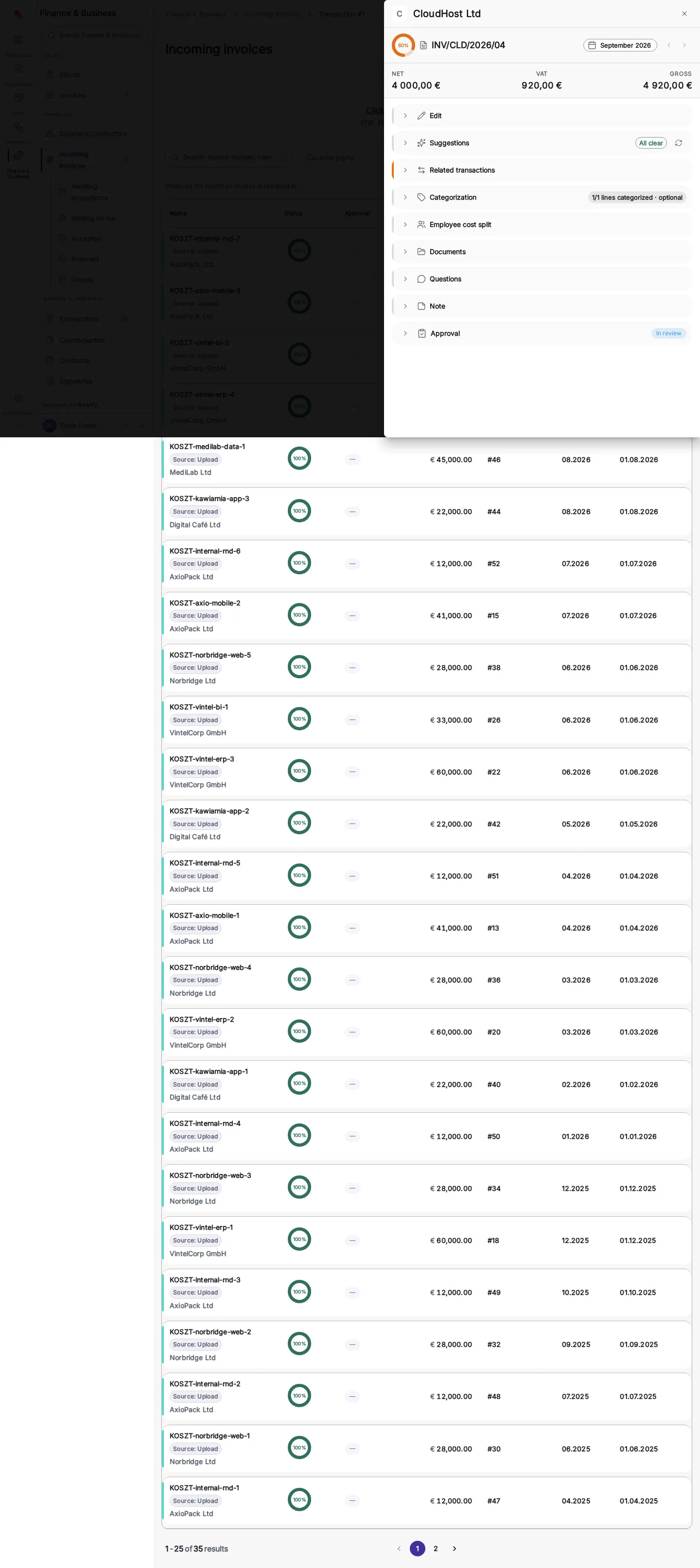
What finance leaders can switch on
Each block is a capability you can enable to match how your finance function runs.
Supplier invoice approval, routed to the right person
Turn on the approval workflow and each incoming invoice goes to the owner of its cost-category tag, then to the owner of the linked cost, and otherwise to everyone with an invoices permission. Approvers work from their own Waiting on me tab, a rejection carries a note, and every invoice keeps its decision history.
Read the guideDaily budget alerts, before the period closes
Every morning Flowtly checks each planned budget and notifies its recipients in the bell and by push when costs run more than 10% over plan or the margin falls below target or is already at risk. Each alert shows actual against plan, the date its figures are current to and a link to the budget, and it never changes the budget for you.
Read the guideSet-offs with one counterparty, started from reminders
From the payment reminders queue, declare a set-off with one counterparty: tick your invoices that have a reminder waiting and their cost documents, enter amounts that balance exactly, and record the date the declaration reached them. What remains due drops by the amount set off, and reminders for invoices now settled in full are dismissed. You deliver the declaration yourself; Flowtly records it.
Read the guideReview invoice approvals by asking
Ask Flowtly Assistant what is waiting on you, open the invoice it names, and decide whether to approve it or reject it with a reason. It prepares the decision and asks you to confirm it; you record it on your Waiting on me tab. Approval is a decision, not a payment.
Read the guideWork out what it is worth
Where a budget will land at the current pace, and when it crosses the alert line.
What an unbilled hour costsWhat hours that never reach an invoice cost in a year, and how a sign-off stops it.
Profit per personWhat one person earns the firm after their own cost and a share of overhead.
What outdated rates cost youThe yearly gap between your rate card and the rates you actually bill.