Accounting work without the chase
Flowtly gives accountants clean, complete client data — invoices, expenses, approvals, and timesheets — without follow-ups or missing documents. Export everything into your ERP with one click and manage your own practice in the same system.
How it works
Connect your clients
Clients give you access to their Flowtly account.
Review complete data
Invoices, expenses and approvals arrive with their documents.
Export and run your practice
Export to your ERP, and run your own practice in the same system.
Get clean client data, export to your ERP, and run your own practice without missing documents.
· Built for accounting firms
How Flowtly helps accounting firms
Complete data from clients, no chasing
Invoices, expenses, approvals, and timesheets stay in one place without back-and-forth.
Exports into your ERP in one click
Download exactly what you need for your accounting suite without manual stitching.
Run your own practice in the same system
Use Flowtly for your practice while supporting clients in the same workspace.
What that looks like in Flowtly
- Ready-to-import files by month or date range: CSV or XLSX for any office, and for Polish entities Comarch Optima, enova365, Symfonia and Wapro, with leave and absence data in the Optima export.
- Run the books for every client organisation from one login and switch between their workspaces.
- The Accountancy Manager permission group gives full bookkeeping access to invoices, costs, banks, taxes, debt collection and transactions.
How it works in Flowtly
Screenshots of the running product, taken in demonstration organisations with sample data. Select a screenshot to open it full size.
1Add an organisation, the shared workspace for your team, projects and billing, with its language and country. 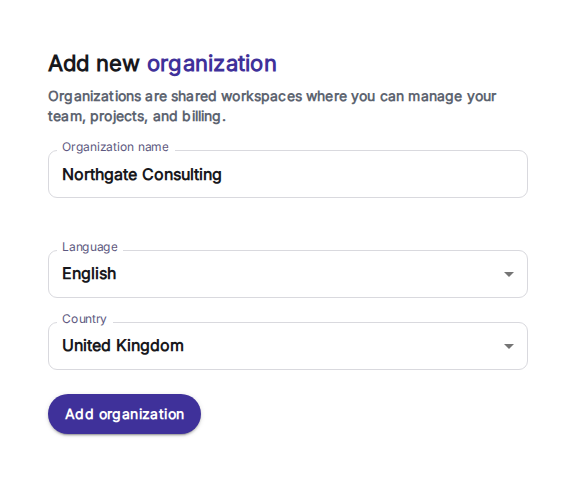
2Give access through permission groups such as Accountancy Manager, Office Manager or People Manager, or copy it from another user. 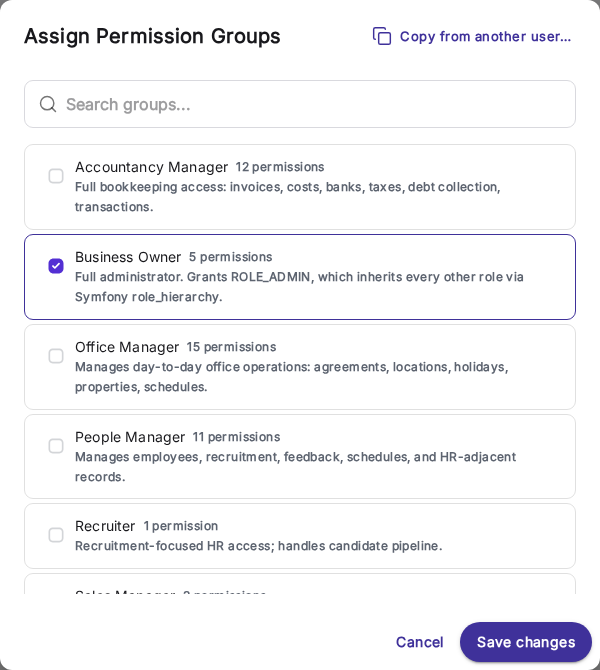
3Invoices are grouped by month, with the payment status on every row and a column for e-invoicing status. 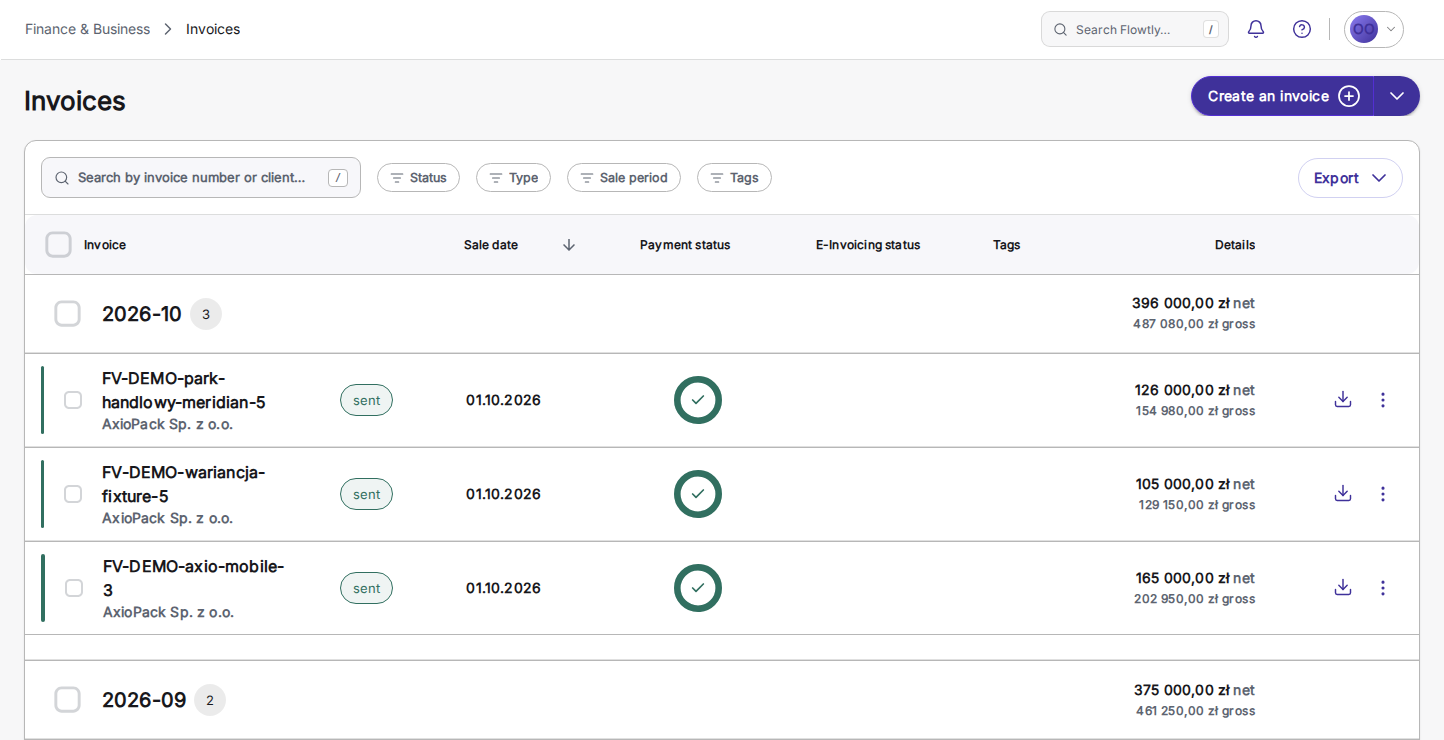
What accounting firms can switch on
Each block is a capability you can enable to match how your practice and clients work.
Accountant questions on the record
Questions about a specific bank transaction or cost invoice are asked and answered right on that record, in one thread between the accountant and the team. A Questions inbox and an unresolved badge show what is still open at month-end, and resolved threads stay in the record’s history, ready to reopen.
Read the guideA period’s invoices as one PDF archive
Ask your connected AI assistant for every invoice issued in a month and get one ZIP of PDFs: sent invoices and corrections, including those accepted by KSeF for Polish entities, never drafts, dated by sale date like the accountancy exports. The documents an accountant asks for, next to the ERP import files.
Read the guideImport straight into your ERP
Hand off ready-to-import files by month or date range: CSV or XLSX for any office, and for Polish entities files for Comarch Optima, enova365, Symfonia and Wapro, with invoices and costs for all four plus employee leave and absence data in the Optima export.
Read the guideDocuments attached to every invoice
Keep receipts, contracts, and supporting files linked to the invoice or cost they belong to, so the books are document-complete and audit-ready.
Read the guideAll your clients in one place
Run the books for every client organisation from one login, switch between workspaces, and keep your whole portfolio of clients organised.