Run your whole business in one place

Flowtly gives founders a single view of projects, people, cash, and clients — so you can make faster decisions and spend less time chasing numbers across spreadsheets.

From first invoice to full team, keep every business dimension visible and connected.

· Built for founders & CEOs

How Flowtly changes your day as a founder

  1. One view of revenue, burn, and delivery

    No more pulling numbers from four tools — see margin, cash, and workload at a glance.

  2. Decisions backed by live data

    Approve hires, deals, and spend with actual budget context, not gut feel.

  3. Scale without hiring an ops manager

    Structured workflows replace the manual coordination that grows with headcount.

What that looks like in Flowtly

  • Every morning Flowtly checks each budget that has a plan and notifies you when costs run more than 10% over it or a finished period’s margin lands 5 points or more below target.
  • A prospect becomes a customer and an open deal in one step, with its contacts copied across and its prospecting timeline kept.
  • Flowtly Workspace installs on iPhone, Android or desktop from the browser, with no app store needed.

How it works in Flowtly

Screenshots of the running product, taken in demonstration organisations with sample data. Select a screenshot to open it full size.

  1. 1Start from the project list: each client project with its status, type, client, members and budgets.
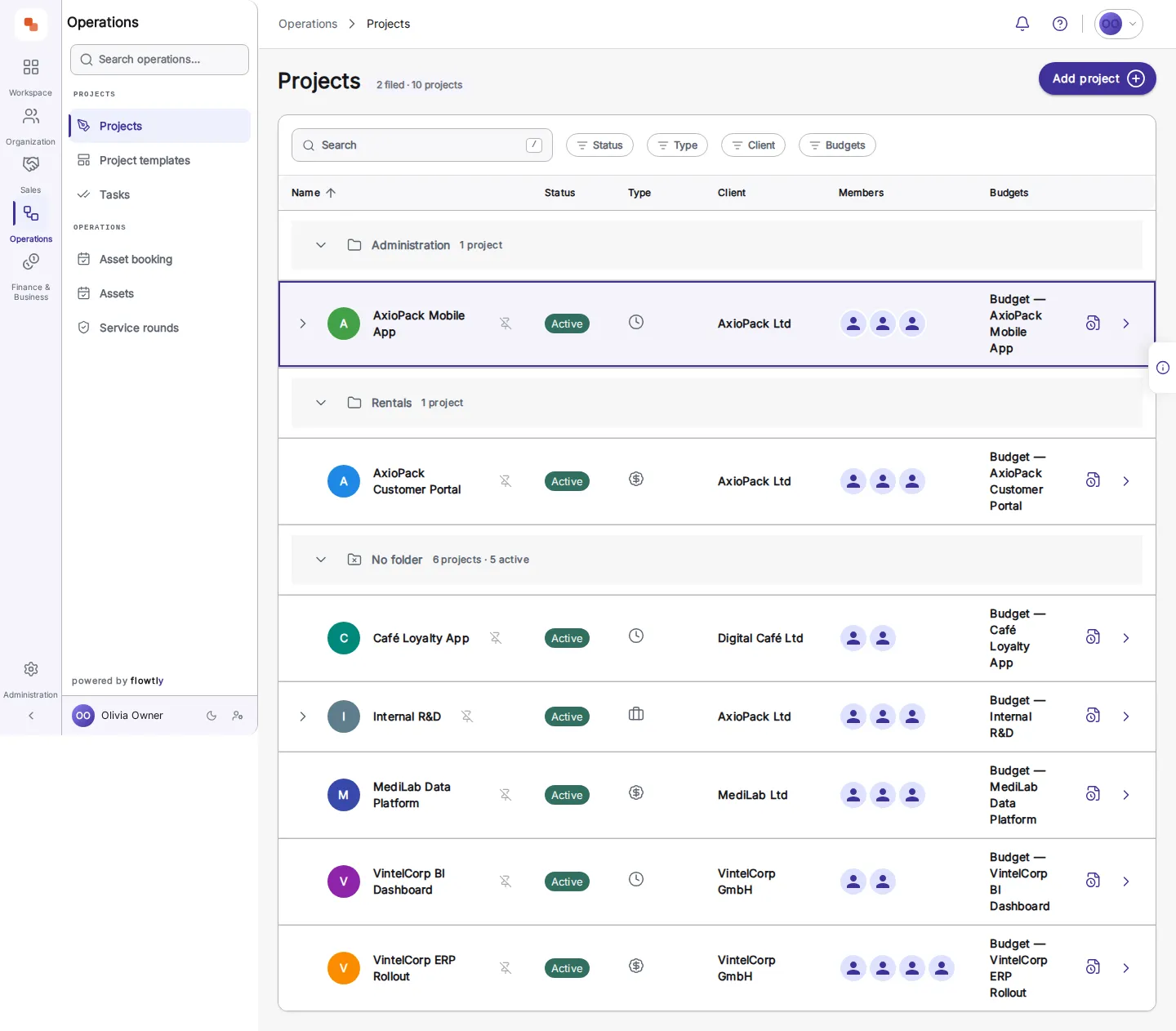
    The Projects list in a demonstration organisation: client projects in a table with columns for name, status, type, client, members and budgets.
  2. 2Compare plan with actual, month by month: income and expense variance and the actual net result.
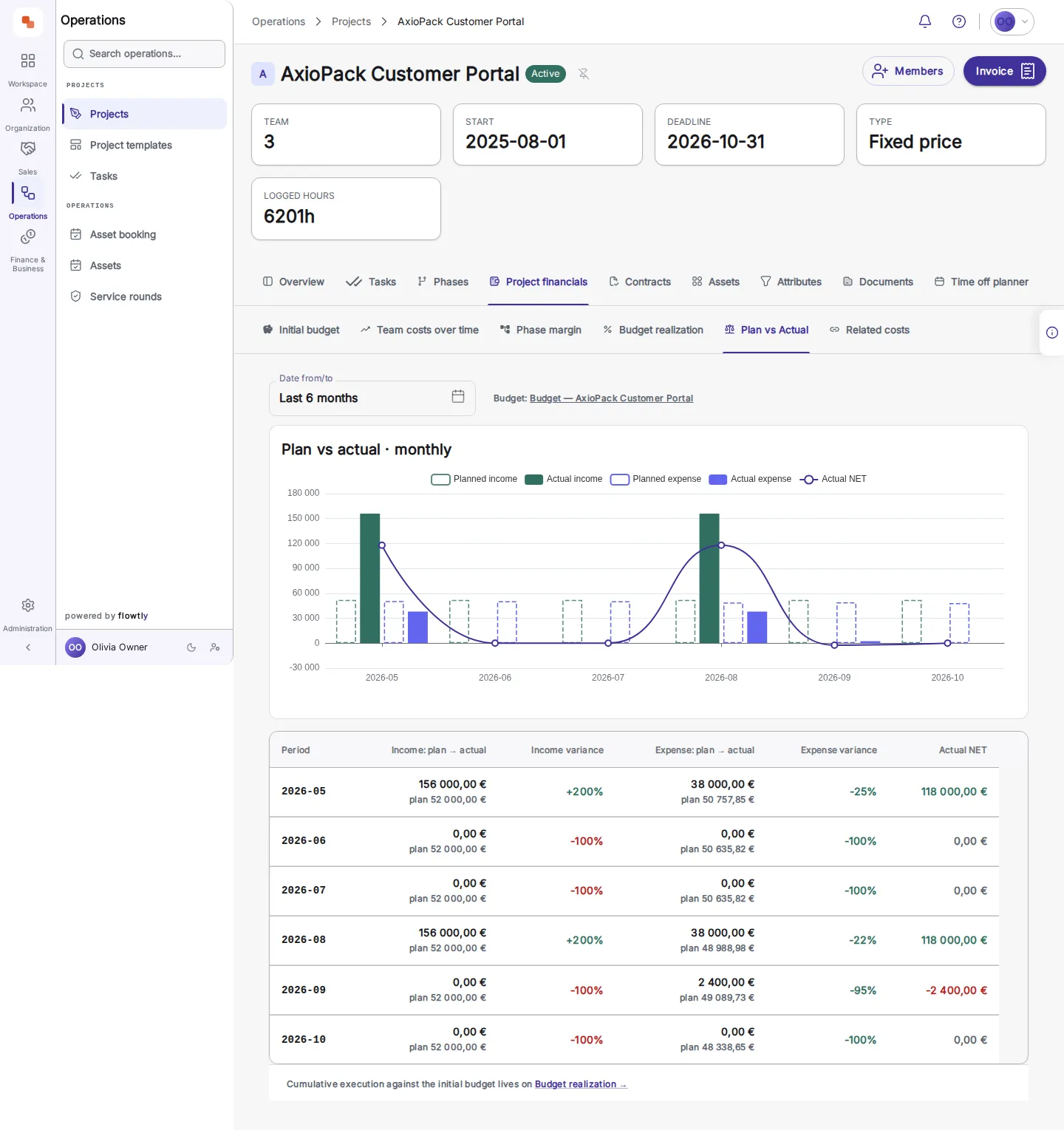
    The plan vs actual tab of a project: a chart and a table with income plan to actual, income variance, expense plan to actual, expense variance and actual net for six months.
  3. 3Read budget realisation: planned, contracted and invoiced stay in separate columns, and the view names any contract it leaves out.
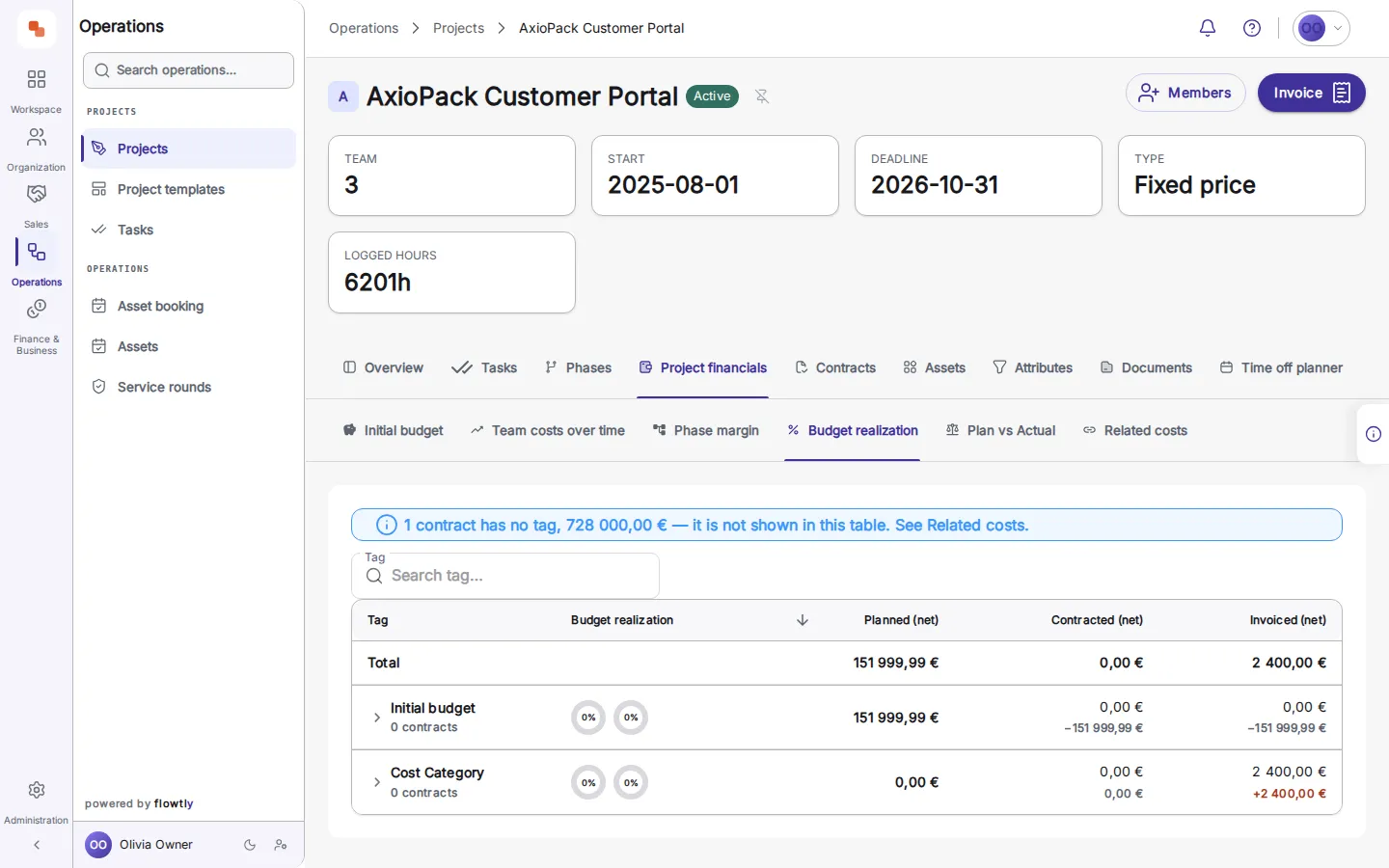
    The budget realisation tab: a notice that one untagged contract is not shown in the table, above planned, contracted and invoiced totals.

What founders can switch on

Each block is a capability you can enable as your business grows.

Daily budget alerts, before the period closes

Every morning Flowtly checks each planned budget and notifies its recipients in the bell and by push when costs run more than 10% over plan or the margin falls below target or is already at risk. Each alert shows actual against plan, the date its figures are current to and a link to the budget, and it never changes the budget for you.

Read the guide

Close deals and log work from a chat

Ask your connected assistant to mark a deal won, close a prospect or deal as lost with a reason from your list, log the hours you just worked or update a task. Each is a named action that stays within what your own account may do.

Read the guide

Turn a prospect into a customer and a deal in one step

Convert a prospect into a new or existing customer: its contacts are copied across, a deal opens in the first pipeline stage with Prospect as its origin, and the prospecting timeline stays where it was.

Read the guide

Staffing plan from project to role to person

Each project opens into the roles it needs and the people booked on them, week by week. Say how many people a role needs, and an unfilled role shows as a gap from the week it opens. Filter to open roles for a ready hiring or reassignment list.

Read the guide
See every feature

Work out what it is worth

FAQ

Frequently asked questions

Not answered here? Contact us.

Is Flowtly an ERP or a set of tools?
Flowtly is an ERP for small and growing service businesses, built around profitability. HR, finance, projects and operations share one model, so every hour, cost and invoice lands on the same margin.
Can an AI assistant do work in Flowtly, or only answer questions?
Both. Connect Claude, ChatGPT or another assistant that supports MCP connectors to one Flowtly organisation, and it answers questions from your live data, such as overdue invoices or a bank balance. It can also carry out a curated set of named actions: log work time, create or update tasks and contracts, upload a document to an invoice, close a prospect or deal, and add, invite and set access for a colleague. There is no free-form “do anything” action, and it never goes beyond what your own Flowtly permissions allow.
What can the CFO advisor tell me, and can it change anything?
Flowtly Assistant includes a CFO advisor for finance leaders. It reads your transactions, bank balances, invoices, contracts, cost groups and budgets and interprets them rather than just listing them: how liquidity looks, where the money is going, how long the funds last, which receivables are still unpaid, how actuals diverge from budget, and which risks are worth acting on. It leads with a verdict and names the figures behind it. It is read-only and never changes anything in your data — the agents that do act, such as logging time or preparing a contract, are separate and stay within your own permissions. The advisor is available to finance and leadership roles.
How does Flowtly help us win the next engagement?
Sales runs in separate steps. While prospecting, you log every call, message and reply against a company. When it is ready, converting turns it into a new or existing customer, copies its contacts and opens a deal in the first pipeline stage, marked with Prospect as its origin. You then move the deal through the pipeline and close it on Won or Lost, choosing a reason from a fixed list when it is lost, so lost work is countable at quarter end. Winning a deal records the outcome; it does not create the project or contract for you, so setting up the engagement is its own next step. Access comes in three roles: Sales Viewer, Sales Operator and Sales Manager.
We are an early-stage startup with a limited budget — can we still use Flowtly?
Flowtly is startup-friendly. Please contact us and we’ll work with you to find a plan that fits.
Can I invoice from logged hours automatically?
Yes. Approved timesheets turn into invoice lines with one click — billable rates, tax presets, and VAT handled automatically.
Can Flowtly read the contracts we have already signed?
Yes. Upload a signed contract as a PDF, PNG or JPEG and Flowtly reads the parties, dates, payment terms and prices into a review screen. Nothing is saved until someone allowed to manage contracts checks the fields and confirms them, and a file that cannot be read says why, with the option to read it again or upload a clearer copy. Adding a document to an existing contract only fills fields that are still empty, and re-reading a document asks before it overwrites anything.

Case studies