Books that reconcile. No document chasing.
Flowtly keeps invoices, costs, receipts, and time logs structured and complete at the source — so your month-end close happens on data you can trust, not emails you had to chase.
Get clean source data, one-click ERP exports, Peppol and Factur-X e-invoicing compliance, and client-ready books — without hunting for missing documents.
· Built for accountants
How Flowtly changes your month-end close
Clean source data, every period
Invoices, supplier costs, receipts, and approved expenses arrive structured and complete — no PDF hunting, no back-and-forth with the client.
One-click export to your ERP or suite
Download a CSV or XLSX file by month or date range, or for Polish entities a ready-to-import file for Comarch Optima, enova365, Symfonia or WAPRO, without manual reformatting.
Peppol and Factur-X e-invoicing built in
Outgoing invoices are issued as Peppol or Factur-X. Incoming e-invoices are captured and matched. Compliance is not an extra step.
What that looks like in Flowtly
- Ready-to-import files by month or date range: CSV or XLSX for any office, and for Polish entities Comarch Optima, enova365, Symfonia and Wapro, with leave and absence data in the Optima export.
- Questions about a bank transaction or cost invoice are asked and answered on that record, and a Questions inbox shows what is still open at month-end.
- Ask a connected AI assistant for a month’s issued invoices and get one ZIP of PDFs: sent invoices and corrections, including those accepted by KSeF for Polish entities, never drafts.
How it works in Flowtly
Screenshots of the running product, taken in demonstration organisations with sample data. Select a screenshot to open it full size.
1Give access through permission groups such as Accountancy Manager, Office Manager or People Manager, or copy it from another user. 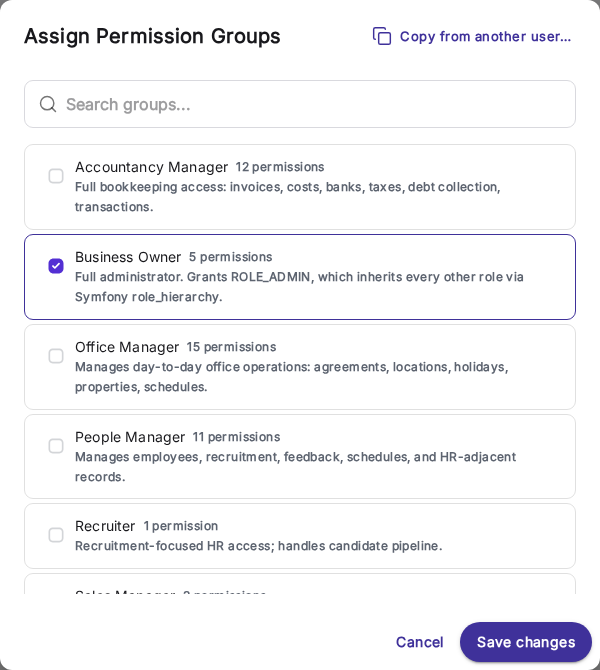
2Follow it to the source: the incoming invoice with its net, VAT and gross amounts and its approval state. 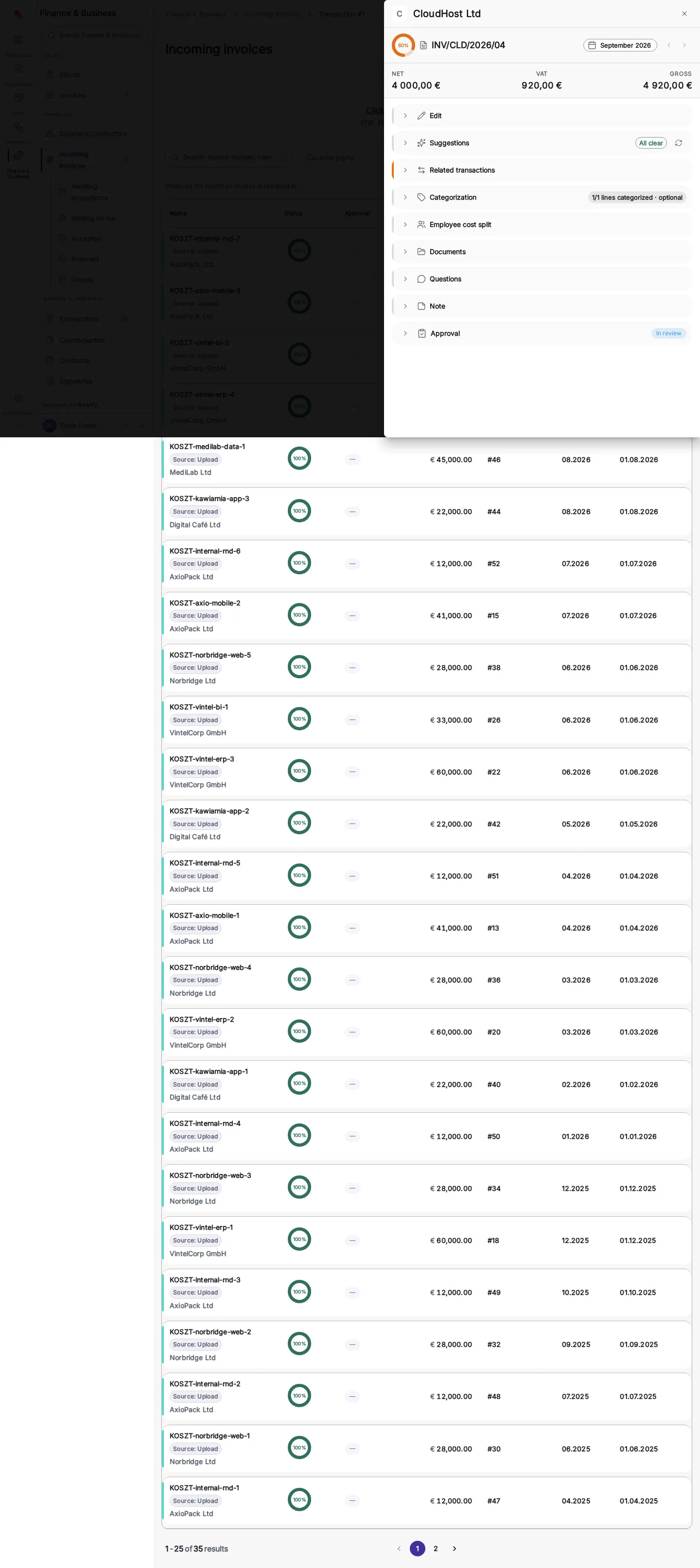
3Invoices are grouped by month, with the payment status on every row and a column for e-invoicing status. 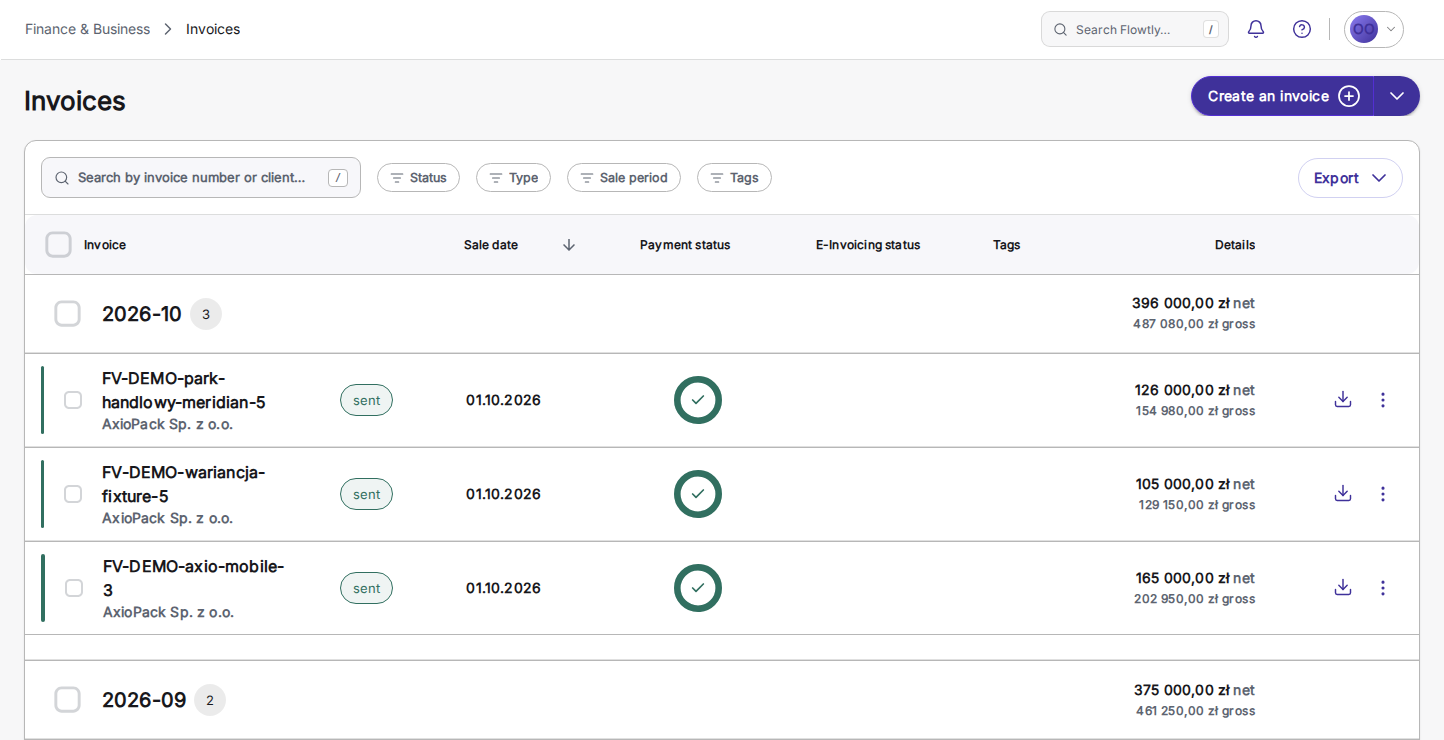
What accountants can rely on
Each block keeps your client data structured, exportable, and audit-ready.
Accountant questions on the record
Questions about a specific bank transaction or cost invoice are asked and answered right on that record, in one thread between the accountant and the team. A Questions inbox and an unresolved badge show what is still open at month-end, and resolved threads stay in the record’s history, ready to reopen.
Read the guideA period’s invoices as one PDF archive
Ask your connected AI assistant for every invoice issued in a month and get one ZIP of PDFs: sent invoices and corrections, including those accepted by KSeF for Polish entities, never drafts, dated by sale date like the accountancy exports. The documents an accountant asks for, next to the ERP import files.
Read the guideSet-offs with one counterparty, started from reminders
From the payment reminders queue, declare a set-off with one counterparty: tick your invoices that have a reminder waiting and their cost documents, enter amounts that balance exactly, and record the date the declaration reached them. What remains due drops by the amount set off, and reminders for invoices now settled in full are dismissed. You deliver the declaration yourself; Flowtly records it.
Read the guideReview invoice approvals by asking
Ask Flowtly Assistant what is waiting on you, open the invoice it names, and decide whether to approve it or reject it with a reason. It prepares the decision and asks you to confirm it; you record it on your Waiting on me tab. Approval is a decision, not a payment.
Read the guide