Explore the real Flowtly on sample data
Pick a sample business, who you log in as, and your language — then jump straight in.
The real product, not a recording or a mock — you sign in as a demo user of a sample business, and every figure is sample data.
See it on a real project's profitability
Screenshots of the running product — not a recording and not a mock-up. The data comes from the Atlas Studio demonstration organisation and is sample data.
1.Atlas Studio runs client projects side by side. Which of them actually made money? 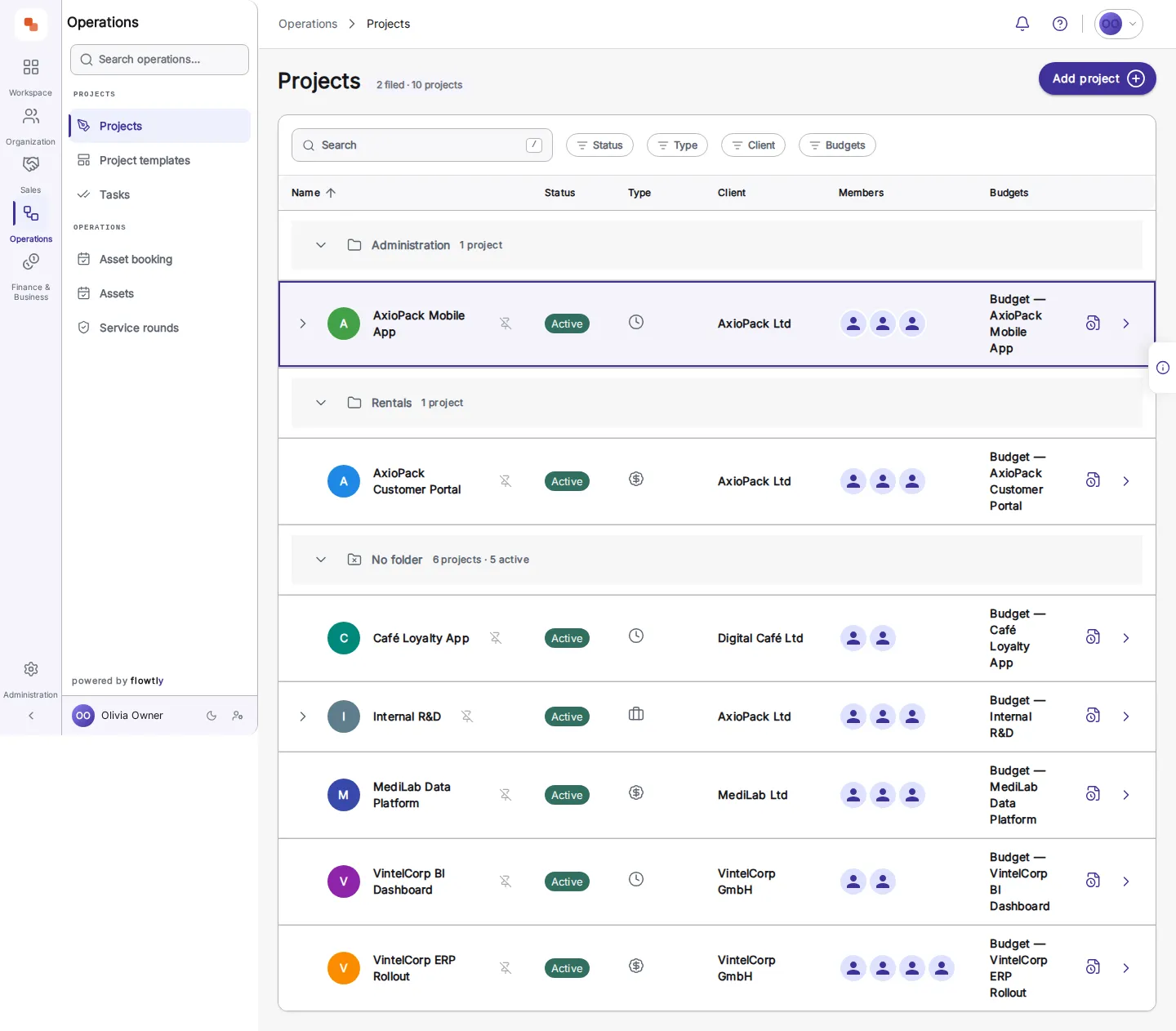
2.Open the project's Financials. Everyone who logged time appears with what their hours cost — month by month. 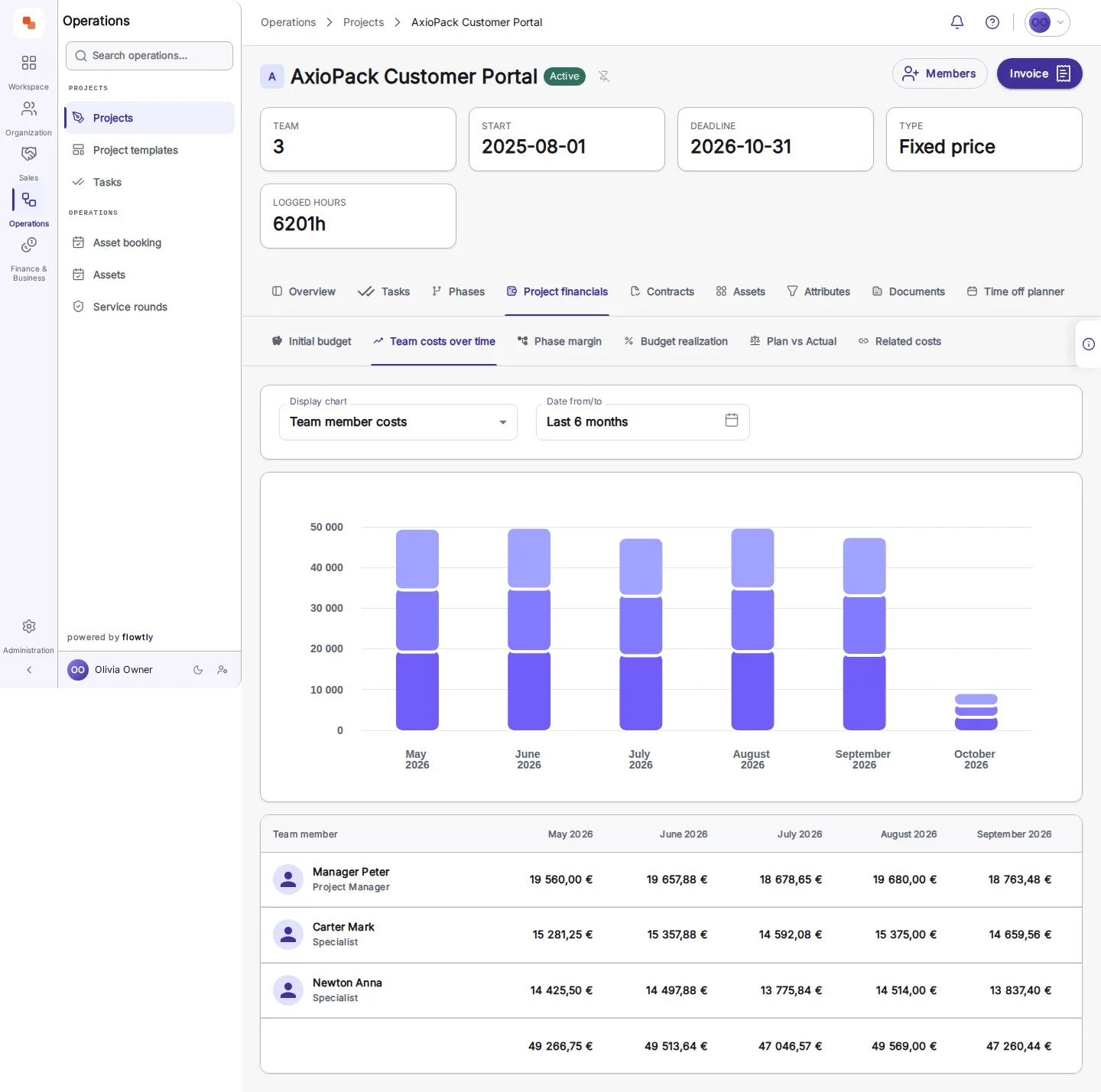
3.Revenue has a tab of its own: plan against actual, month by month, with the deviation and the actual net result. September is the month that moved — −2 400,00 € net, a cost that arrived against no revenue. 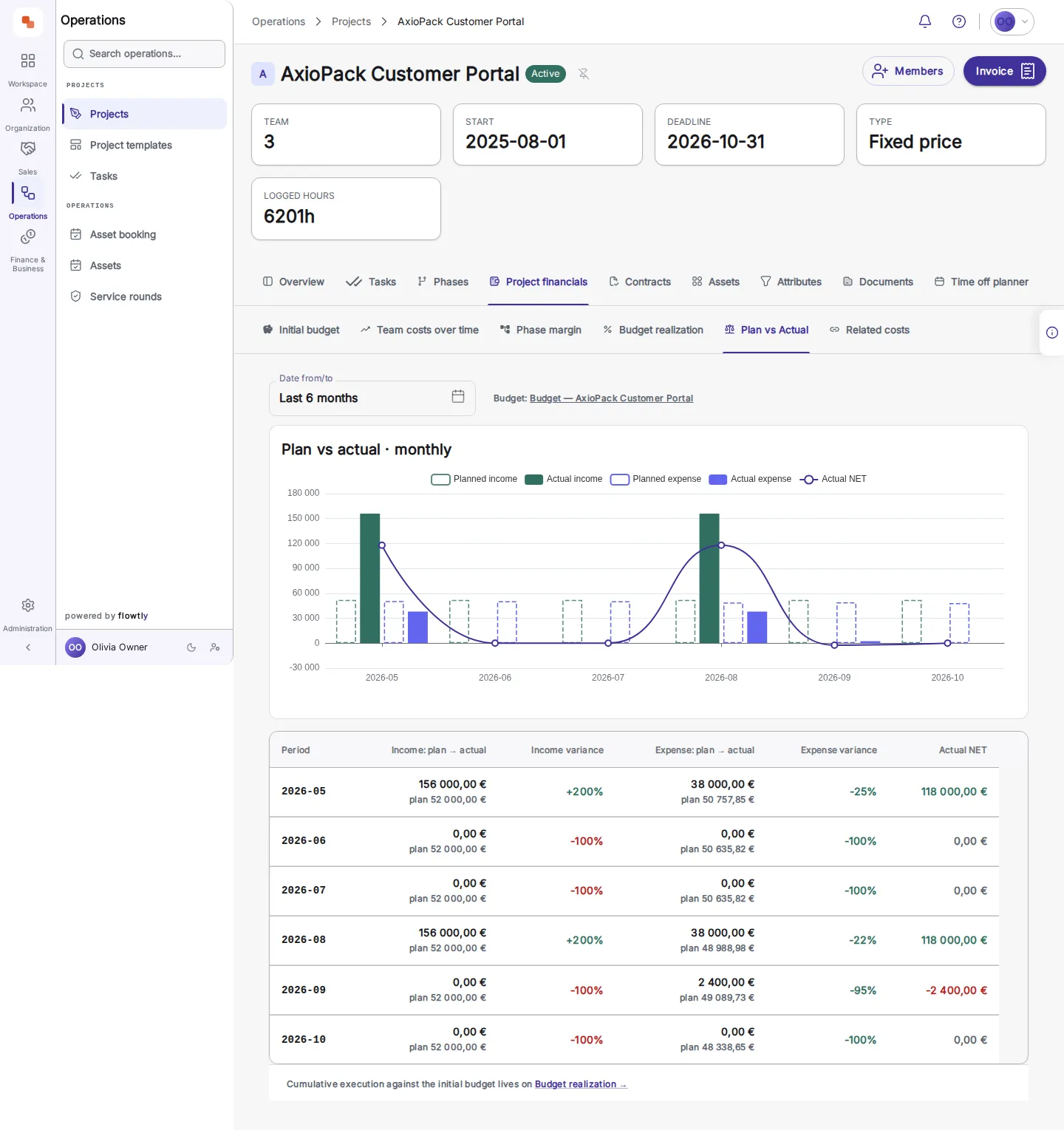
4.Planned, contracted and invoiced stand apart here — 151 999,99 € planned against 2 400,00 € invoiced, never added together. The view even says what it is leaving out: one untagged contract of 728 000,00 €, pointed at Related costs rather than quietly folded in. 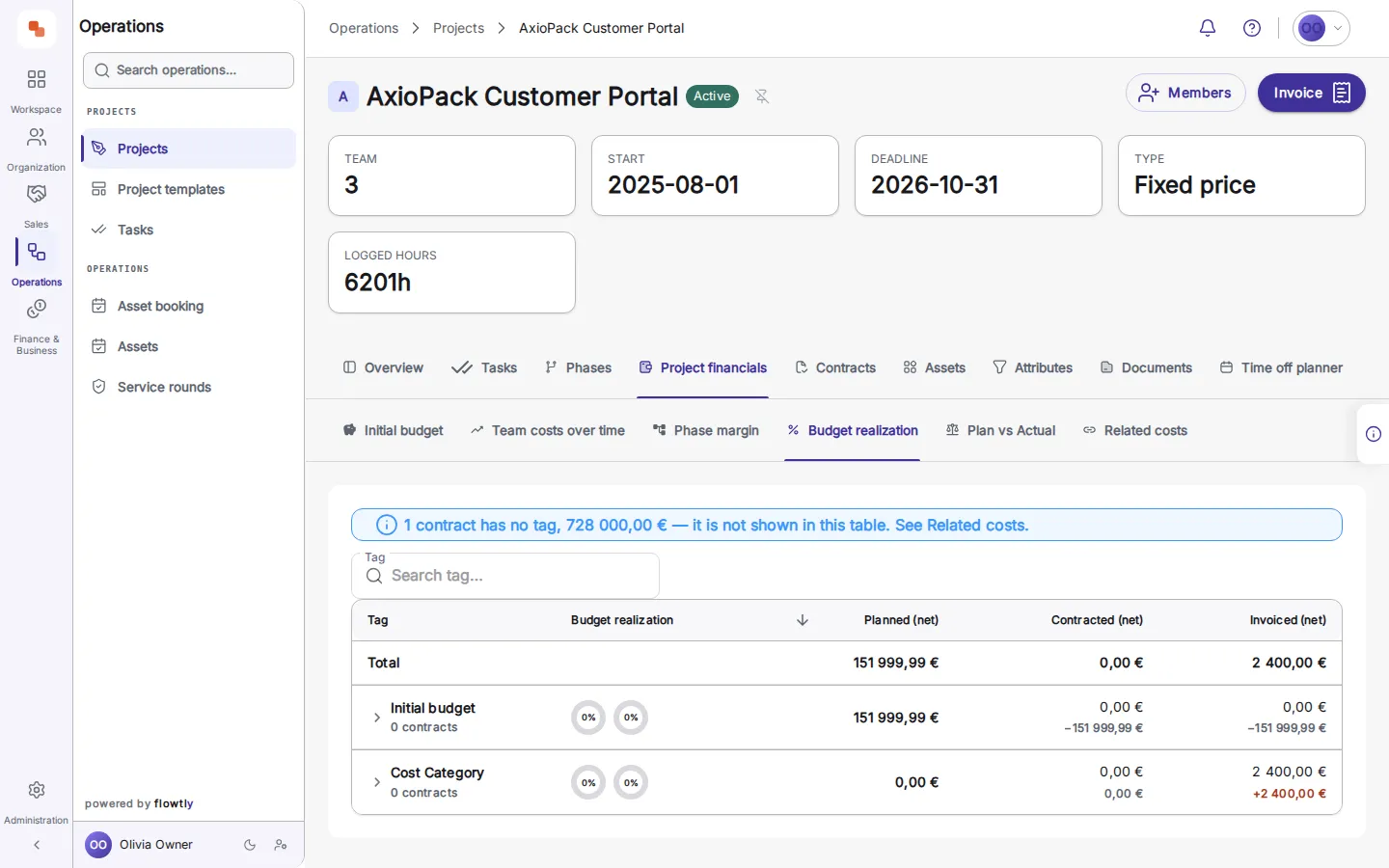
5.Allocated shared costs land on the project too — with the invoice amount and the share assigned to this project. 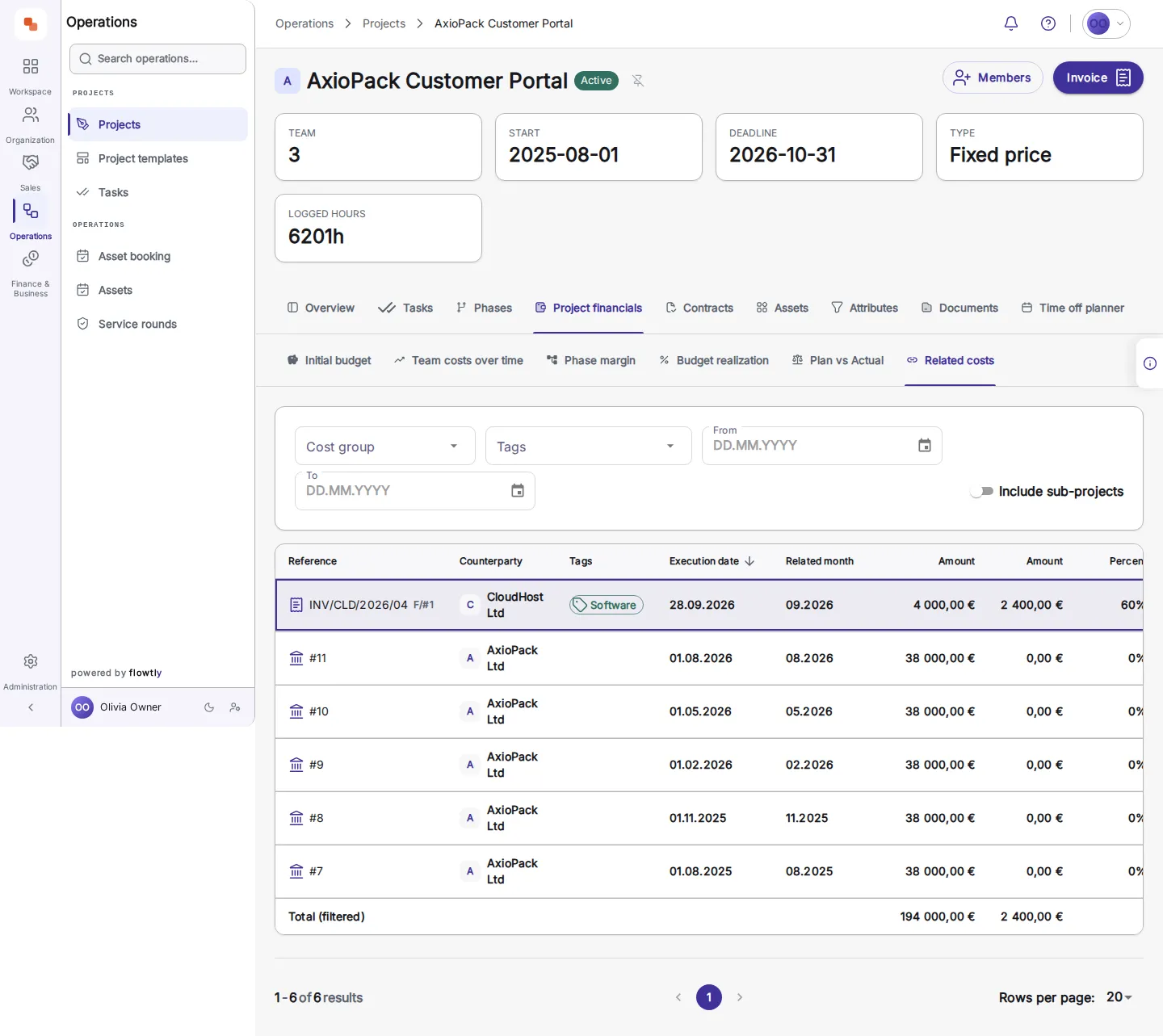
6.One click on the row opens the record: the purchase invoice, the supplier, the amount, the share and the project it was allocated to. 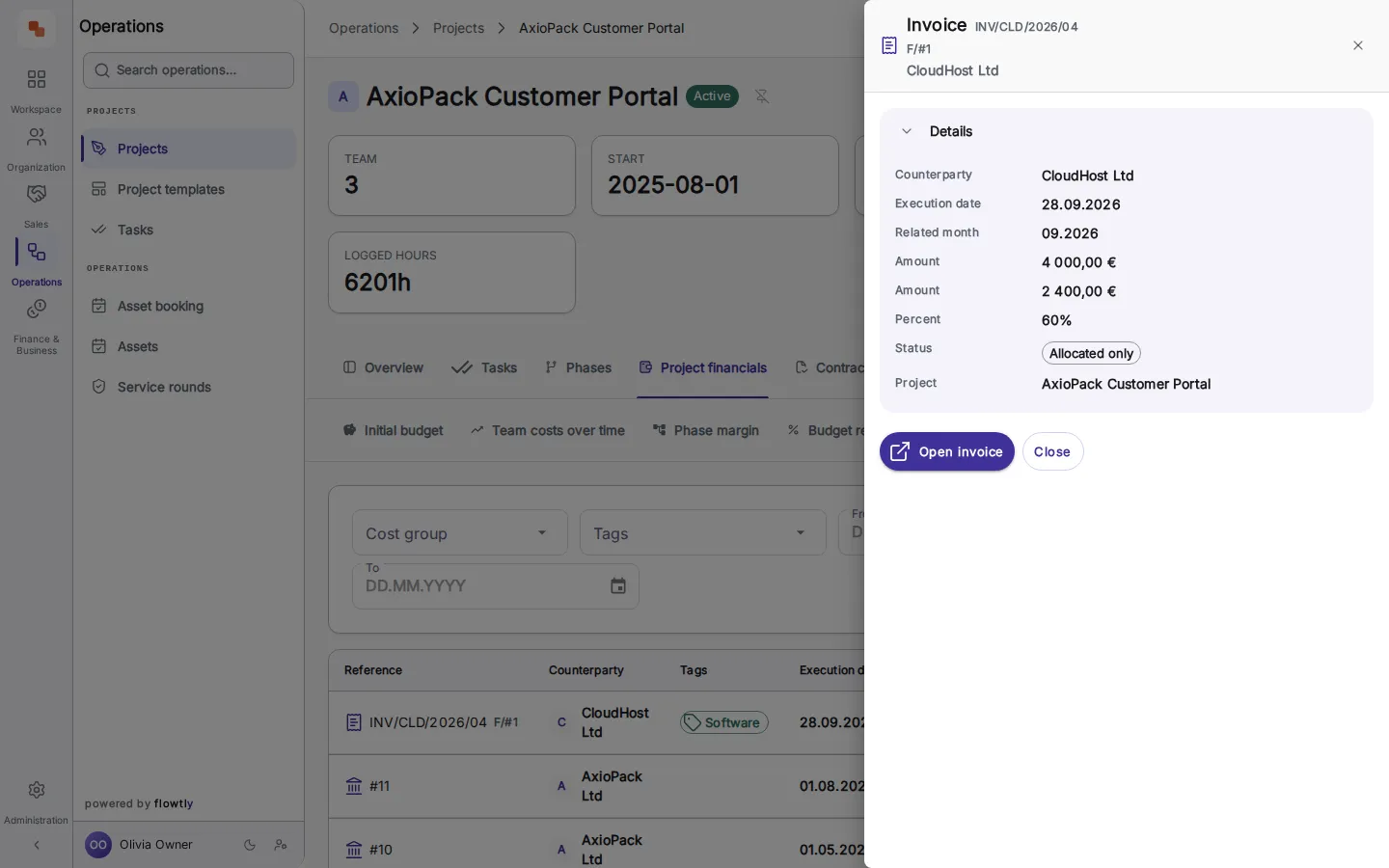
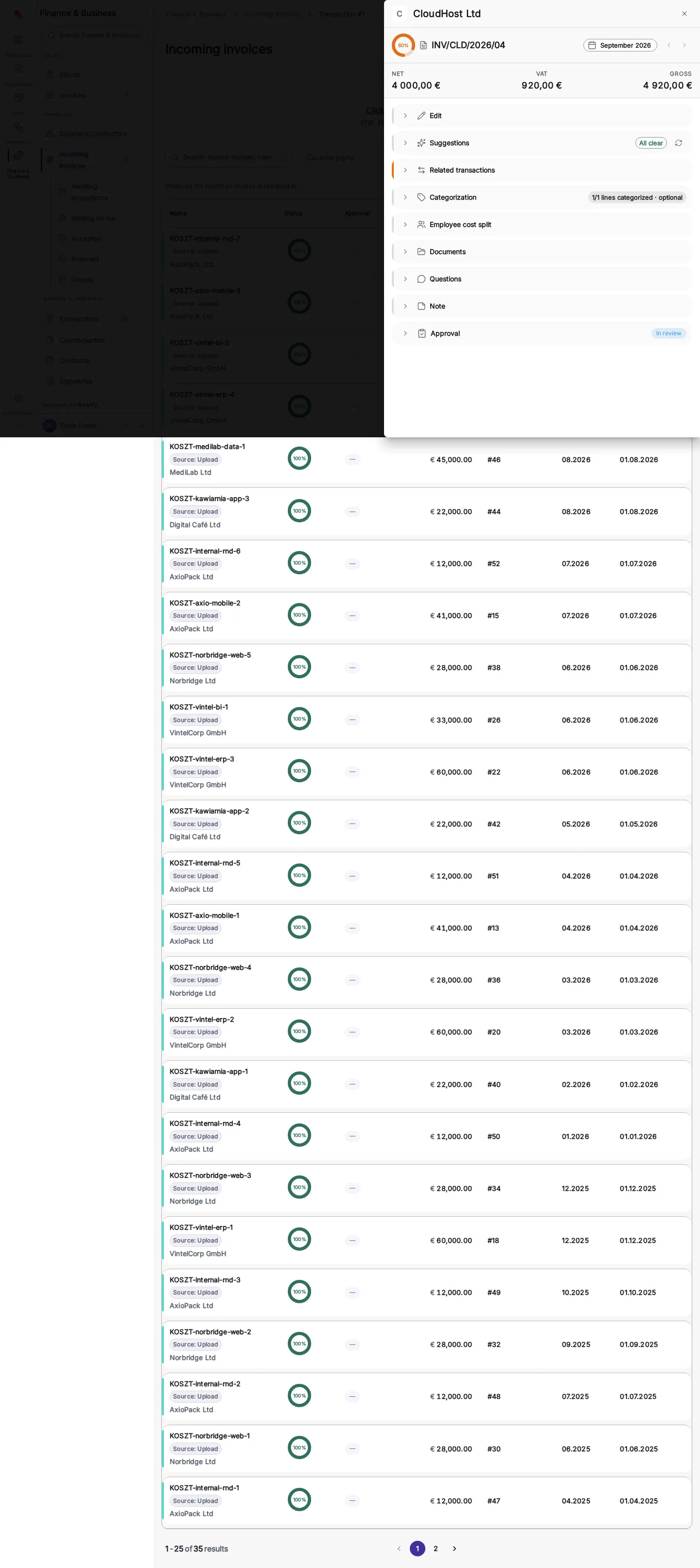
7.A second click — 'Open invoice' — lands on the invoice itself, in Incoming invoices: net, VAT and gross, with its approval state. The figure from the chart ends at its source document.